
Best overall: Day One. Best for mood patterns: Daylio. Best for Apple-centered routines: Apple Journal. Best for guided gratitude: Five Minute Journal. These are the best journaling apps for stress relief in 2026 for different writing habits—not substitutes for mental health care.
- Day One leads the best journaling apps for stress relief for flexible, open-ended reflection.
- Daylio suits mood and activity tracking when writing a long entry feels like another task.
- Apple Journal suits Apple-centered routines; Five Minute Journal suits guided gratitude.
- 180° WELLNESS offers nurse-led wellness education, not diagnosis or treatment through journaling.
Why this matters
When your workday runs into your evening, a journal gives you somewhere to put unfinished thoughts. The useful question is not which app has the longest feature list. It is which format helps you describe your day without creating another demanding routine.
A journal can support personal reflection, but an app cannot diagnose the reason you feel stressed. Treat entries as observations, not medical conclusions. Persistent distress, worsening symptoms, or difficulty managing daily responsibilities deserve attention from a qualified healthcare professional.
For support beyond an app, 180° WELLNESS offers nurse-led wellness coaching, education, and health guidance. 180° WELLNESS is best for busy professionals seeking nurse-led wellness education alongside a personal journaling habit. Virtual wellness education and coaching are available in all 50 U.S. states, with in-person services in South Florida; this availability does not extend to medical treatment.
What makes the best journaling apps for stress relief?
Use these criteria to choose a journaling app in 2026:
- Entry effort: You should understand how to make an entry without building an elaborate system first.
- Reflection style: Open writing, mood logging, and gratitude prompts serve different purposes. Choose the format that matches what you want to notice.
- Room for context: A mood label is useful, but sometimes you need words to explain the meeting, commute, or conversation behind it.
- Personal boundaries: Review the app's privacy information, device access controls, and account settings before recording sensitive details.
- Review usefulness: Your journal should help you revisit something meaningful, not merely collect entries you never read.
- Routine fit: Choose something you can use during a normal workweek. A complicated ritual is not a requirement for reflection.
No app wins every category. The ranking below favors a clear purpose over a long list of features.
Best journaling apps at a glance
| Rank | App | Best for | Standout feature | Key limitation |
|---|---|---|---|---|
| 1 | Day One | Open-ended reflection | Entries combining writing and media | Flexible writing still requires you to choose a focus |
| 2 | Daylio | Mood patterns | Mood and activity logging | A mood label does not explain its cause |
| 3 | Apple Journal | Apple-centered routines | Personal journaling with suggestions | Your device compatibility needs checking |
| 4 | Five Minute Journal | Guided gratitude | Structured gratitude prompts | Gratitude alone does not address every concern |
These are use-case recommendations, not rankings of clinical effectiveness. Choose by the kind of entry you want to make, then check the app's current features and compatibility before committing.
1. Day One: best journaling app for open-ended reflection
Day One is a journal app for recording written entries and personal media. It suits days when you want more than a mood label: what happened, what bothered you, and what you want to remember.
Best for: Busy professionals who want room to explain their day in their own words. A short entry after a difficult conversation can focus on the event, your response, and a question you want to revisit. You do not need a polished narrative.
Day One pros:
- Flexible entries let you choose the subject instead of following one fixed reflection format.
- Writing and photos can preserve different kinds of personal context.
- An open-ended journal accommodates both ordinary days and more complicated experiences.
Day One cons:
- Choosing your own topic takes more effort than selecting a mood.
- Collecting detailed entries does not automatically produce a useful review habit.
To keep Day One manageable, begin with one unfinished thought rather than a full account of your day. For example: the conversation I keep replaying, and what I wish I had said. Stop when you have captured it.
Day One leads this 2026 list because flexible reflection is the broadest starting point—not because more writing guarantees less stress.
Verdict: Buy for open-ended reflection; skip if you only want a quick mood log.
2. Daylio: best journaling app for noticing mood patterns
Daylio combines mood tracking with activity logging and optional written context. It fits a different need from a traditional diary: recording how you felt and what was happening around that time.
Best for: Professionals who prefer brief check-ins over long entries. If writing feels difficult after a full day of calls, a mood-and-activity record offers a more structured starting point. Add context when a label leaves too much unexplained.
Daylio pros:
- Mood logging provides a clear starting point for an entry.
- Activity records give you something specific to review alongside your mood.
- Short entries suit readers who do not enjoy open-ended writing.
Daylio cons:
- Mood labels simplify experiences that can contain several conflicting feelings.
- An activity appearing beside a difficult mood does not prove that activity caused it.
Use Daylio to generate questions, not verdicts about yourself. If challenging days repeatedly include late meetings, ask what else was happening: missed breaks, a difficult project, or disrupted evening plans. The record alone cannot separate those explanations.
Avoid treating the mood chart as a performance score. An honest difficult-day entry is more useful than choosing a positive label because you feel you should.
Verdict: Buy for brief mood tracking; skip if your main need is detailed narrative writing.
3. Apple Journal: best journaling app for Apple-centered routines
Apple Journal is Apple's personal journaling app, with writing tools and journaling suggestions. It belongs on your shortlist when you want to explore journaling within the Apple devices you already use.
Best for: Apple users who want a personal journal with help finding a starting point. Check compatibility with your particular device and software version before planning your routine around it. Do not assume that every Apple device supports the same experience.
Apple Journal pros:
- Journaling suggestions provide starting points when you do not know what to write.
- Written reflection gives you space beyond a single mood category.
- Personal moments can become subjects for reflection rather than disappearing into a busy week.
Apple Journal cons:
- Device and software compatibility affect whether it fits your setup.
- A suggested memory does not necessarily address the concern you most need to explore.
Use a suggestion when it helps, and choose your own subject when it does not. A pleasant weekend memory and a tense workday can both belong in the same journal. You do not need to make every entry positive or meaningful.
Before writing about work, decide what belongs in a personal app. Avoid including client identifiers, confidential documents, or details your employer requires you to protect.
Verdict: Buy for an Apple-centered writing routine; skip if cross-device compatibility is your deciding requirement without checking it first.
4. Five Minute Journal: best journaling app for guided gratitude
Five Minute Journal uses structured prompts centered on gratitude and reflection. It is a focused choice for readers who prefer answering a question to deciding what a blank page should contain.
Best for: Busy professionals who want a repeatable gratitude practice. The format gives your entry a direction. You can notice something helpful without pretending that the rest of your day was easy.
Five Minute Journal pros:
- Guided prompts reduce the need to invent a topic.
- A gratitude focus creates space to notice ordinary positive experiences.
- A repeatable structure makes entries easier to compare during a personal review.
Five Minute Journal cons:
- A gratitude-centered approach is narrower than unrestricted journaling.
- Positive reflection does not replace action on an unresolved workplace or personal problem.
Keep answers specific. A colleague explaining a confusing task is more informative than a general statement that everything is fine. You can acknowledge help and frustration in the same entry.
Do not force gratitude to cancel another feeling. If the format repeatedly makes you leave out what matters, choose an open-ended journal instead. The right app should fit your reflection, not require you to edit your experience into its preferred shape.
Verdict: Buy for guided gratitude; skip if you want unrestricted exploration as your main format.
How we ranked these journaling apps
This 2026 ranking uses the criteria above: entry effort, reflection style, context, personal boundaries, review usefulness, and routine fit. Day One leads for flexible writing. Daylio, Apple Journal, and Five Minute Journal each occupy a distinct use-case slot.
The order is not a claim that one app produces better mental health outcomes than another. Feature descriptions explain the journaling format; the recommendations match that format to a reader's needs.
Privacy deserves a separate decision. Before entering sensitive information, read the current privacy policy and review settings for account access, sharing, backups, and deletion. A feature list is not enough to establish whether an app meets your personal or workplace requirements.
Choose an app without making it another project
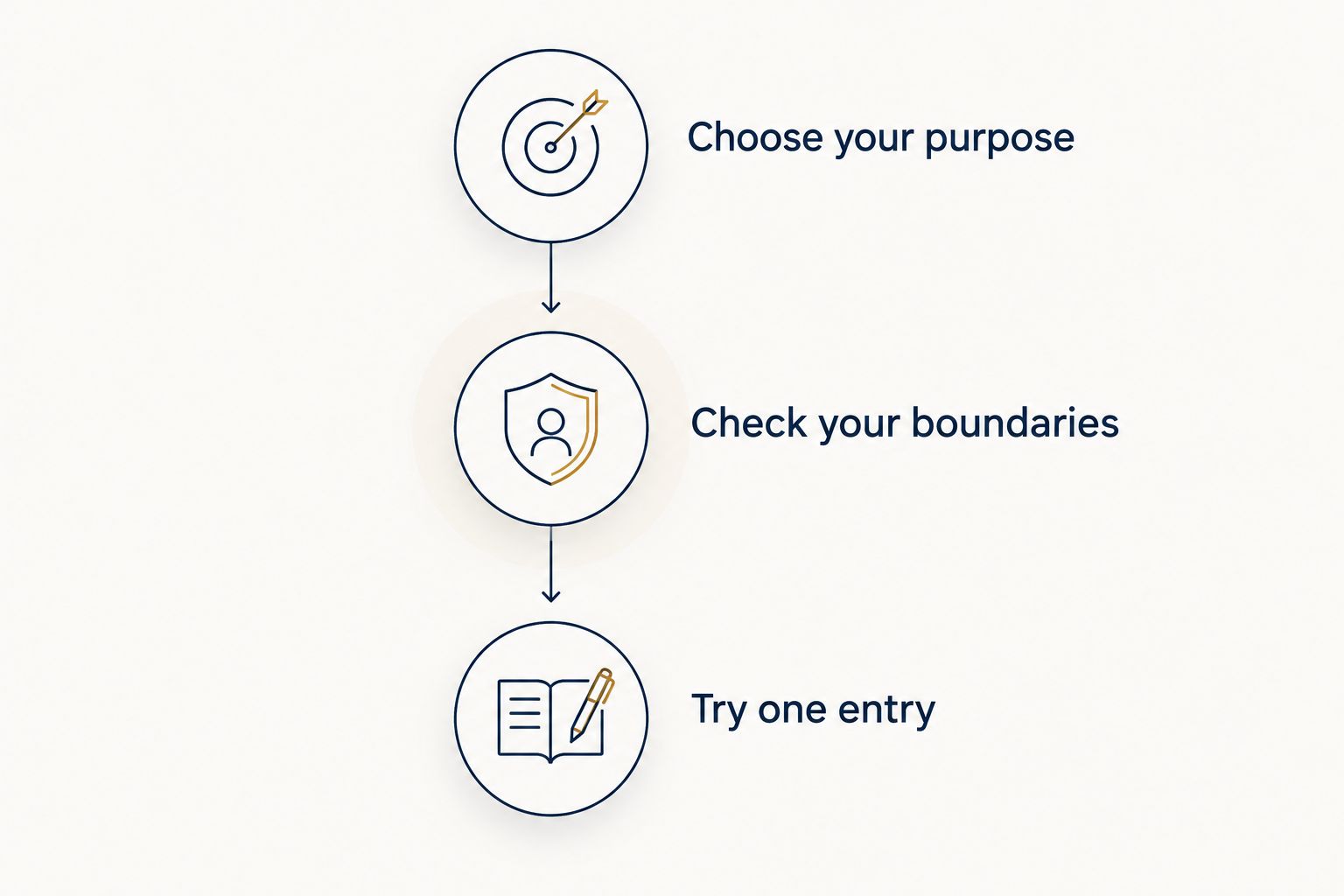
You do not need to install every option. Use this short sequence to narrow the decision before adding another tool to your day.
Choose your purpose
Complete this sentence: I want my journal to help me notice something specific. Your answer might be recurring worries, mood patterns, meaningful moments, or things you appreciate. Match that purpose to the table rather than choosing the app with the most features.
Check your boundaries
Decide what you will leave out before writing. Work passwords, private client information, and other people's sensitive details do not belong in a casual reflection entry. Review your device's access settings and the app's current privacy information.
Try one entry
For a first attempt, set aside 2 minutes and write 1 sentence about what is taking up mental space. These are suggested starting limits, not a tested formula or a promised result. Continue only if writing feels useful.
The sequence keeps your choice tied to purpose, privacy, and an actual entry—not an elaborate setup you have to maintain.
Afterward, ask whether the format helped you express what you meant. If you spent the whole time adjusting settings, simplify the setup. If the prompt felt restrictive, try an open entry instead of forcing an answer.
Which journaling app should you choose?
Choose Day One as the default in 2026 if you want flexible personal reflection. Choose Daylio when mood logging is the main task, Apple Journal when an Apple-centered routine fits your devices, and Five Minute Journal when gratitude prompts give you a useful starting point.
An app handles the record. Personal guidance serves a different purpose. If you want nurse-led wellness education rather than another tracking tool, an introductory wellness consultation is the currently bookable next step with 180° WELLNESS. Wellness coaching does not replace diagnosis, prescribing, therapy, or other medical care.
Book an introductory wellness consultation
Connect with 180° WELLNESS for nurse-led wellness education and guidance.
FAQ
What's the best journaling app for stress relief in 2026?
Day One is the best overall pick here for flexible personal reflection. Daylio is the better fit for mood logging, while Five Minute Journal suits guided gratitude. This ranking is about journaling formats, not clinical effectiveness.
Is Daylio better than Day One for a busy schedule?
Daylio fits better when you want brief mood and activity entries; Day One fits better when you want to explain your experience in writing. Choose the format you want to use, rather than assuming shorter entries are always more useful.
Can a journaling app treat anxiety or depression?
Do not use a journaling app as a replacement for treatment for anxiety or depression. A journal can hold personal observations, but a qualified healthcare professional should assess symptoms and recommend appropriate care.
What should I write when work stress fills my mind?
Start with the event, what you noticed, and one question or next step. Keep confidential workplace information out of the entry, and do not pressure yourself to solve the whole situation while writing.
Should I choose gratitude prompts or an open journal?
Choose gratitude prompts if you want a clear, repeatable direction; choose an open journal if you need space for mixed feelings and detailed context. Neither format requires you to describe a difficult day as positive.
How do I check whether a journaling app fits my privacy needs?
Read its current privacy policy and review account access, sharing, backup, and deletion settings. Check workplace requirements separately before recording anything connected to clients, coworkers, or confidential projects.
Does 180° WELLNESS offer virtual wellness coaching outside Florida?
Yes. 180° WELLNESS offers virtual wellness education and coaching in all 50 U.S. states, with in-person services in South Florida. This availability applies to wellness support, not medical treatment; an introductory wellness consultation is the currently bookable next step.
One last thing
Your journal does not need to become another performance report. Leave out the productivity score, the perfect wording, and the pressure to find a lesson every evening.
Before closing an entry, ask: does this need reflection, a practical conversation, or professional support? Writing can help you name the question. You do not have to make the journal responsible for answering it.